

Rose Toy Not Charging Issues How to Solve

Introduction
Is your Rose Sex Toy not charging, charging only intermittently, or lighting up without holding a charge? This troubleshooting guide covers the most common things to check first, including the charging cable, power source, charging contacts and indicator light.
If you're comparing charging systems across different Rose Vibrators models from RoseToyOfficial, start by checking the connector used by your specific model. Similar-looking magnetic chargers can use different contact spacing, polarity or charging requirements. Similar-looking magnetic chargers can use different contact spacing, polarity or charging requirements.
If you're troubleshooting The Rose, first confirm that its magnetic charging contacts and charging cable are clean, dry and aligned correctly. If your Rose Toy normally charges correctly and you only need standard charging instructions, see our complete Rose Toy charging guide.
Understanding Rose Toy Chargers
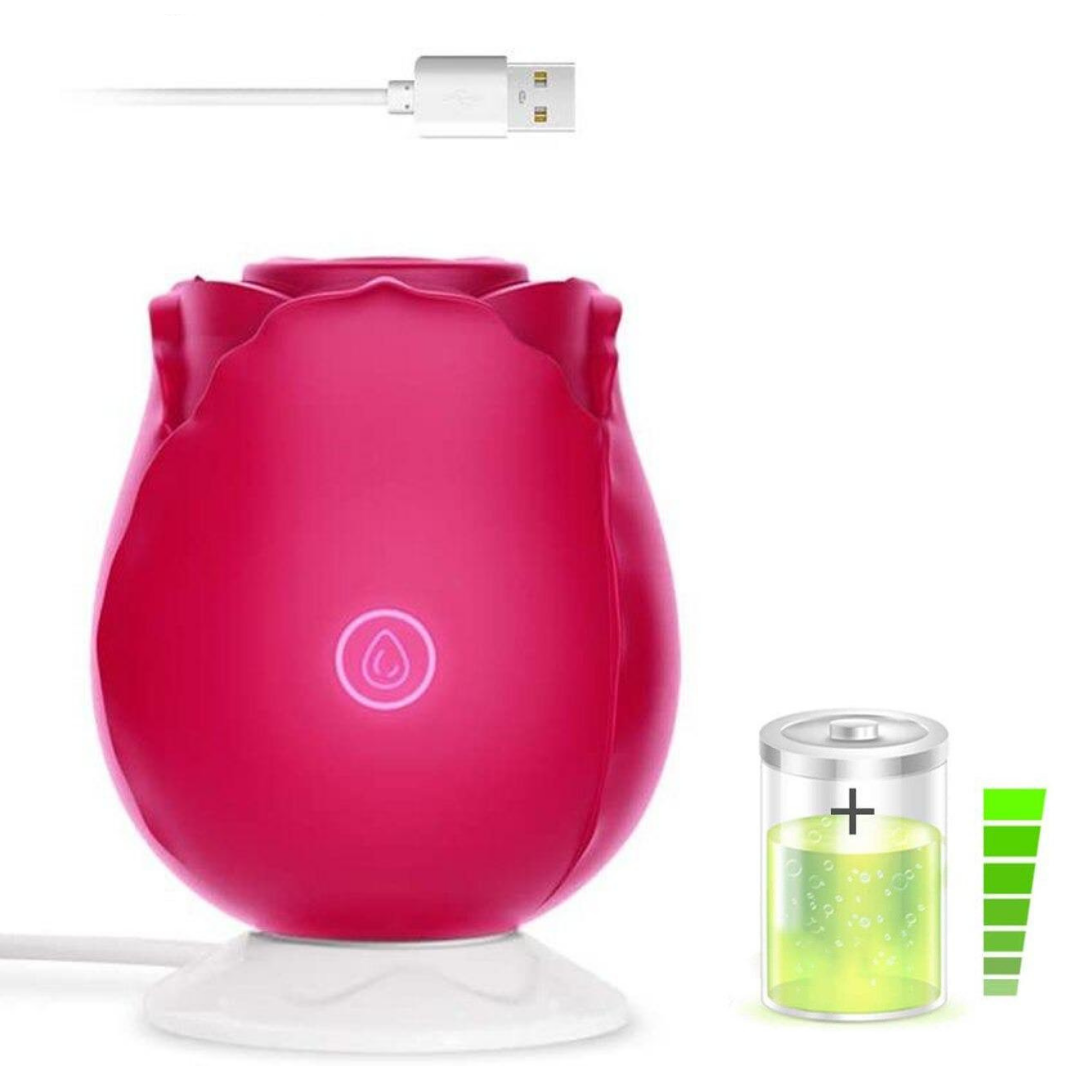
Rose Toy charging systems can vary by model. Some designs use magnetic charging contacts, while others may use a pin-style connector or another USB-based charging system. A replacement charger should match the connector and charging requirements of the specific device rather than simply looking similar.
Two magnetic cables can appear almost identical while using different contact spacing or polarity. If the charger does not sit securely against the charging points, stop and confirm compatibility before continuing.
Common Rose Toy Charger Issues

Rose Toy Charger Not Working?
If your Rose Toy charger doesn't seem to work, start with the simplest checks before assuming the toy or battery has failed.
-
Inspect the Connection: Make sure the charging cable is connected correctly to both the toy and the power source. Check the charging contacts or connector for visible dust, moisture or debris that could prevent a secure connection.
-
Check the Magnetic Contacts: Magnetic charging points should sit flat against the device. If the connector keeps slipping away, sits at an angle or does not align with both contacts, the charger may not be compatible with your model.
-
Try a Compatible Cable: If the original cable appears damaged or does not connect securely, test with a replacement specifically confirmed as compatible with your Rose Toy model. Do not assume that a generic magnetic or USB charging cable will work simply because the connector looks similar.
If the original cable is missing altogether, see how to charge a Rose Toy without the original charger.
-
Check the Power Source: Try another suitable USB power source or outlet to rule out a problem with the adapter, port or outlet.
Rose Toy Not Charging Fully?
If your Rose Toy appears to charge only partially, start by checking how long it has been connected and whether the charging indicator is behaving normally for that specific model.
Battery Fully Drained: If the toy has not been used for a long period, the battery may require more time before the device responds. Follow the charging time listed in the product instructions rather than assuming every Rose Toy uses the same charging duration.
Loose Connection: A magnetic charger that moves slightly during charging can repeatedly disconnect and reconnect. Place the toy on a stable, dry surface and confirm that both charging contacts remain aligned.
Wrong Replacement Cable: If the charging light appears inconsistent after switching cables, confirm that the replacement is intended for the same connector spacing and charging system.
Charging Light Keeps Flashing
Indicator-light behavior can vary between Rose Toy models. Before treating a flashing light as a fault, check what the charging light is supposed to do on your specific device.
If the light behaves differently from the model instructions, check the cable connection, charging contacts and power source before replacing the charger.
A light that flashes only when the cable moves can indicate an unstable connection rather than a battery problem.
Charging Indicator Flashing, But Not Fully Charged?
If the charging indicator continues to flash after the expected charging period, work through these checks:
Check the Charger or Cable: Inspect the cable for visible damage, loose contacts or poor alignment. If necessary, test a replacement charger confirmed for your model.
Check the Power Source: Try a different compatible USB power source to rule out a weak or faulty adapter or USB port.
Check the Charging Contacts: Make sure the metal contacts are clean and completely dry. Moisture or residue can interfere with magnetic charging.
Replacement Charger: If the existing cable no longer connects securely, compare the available Rose Toy charger options and confirm compatibility before ordering.
Travel Lock and Additional Maintenance
Travel Lock Enabled?
Some Rose Toys include a travel-lock feature to prevent accidental activation during transportation. If the device appears to charge normally but will not turn on, check the instructions for your specific model to see whether a travel lock is available and how it is disabled.
Do not assume every Rose Toy uses the same button combination. Travel-lock controls vary by model.
Product Maintenance
Basic maintenance can help reduce charging problems over time.
Storage: Store the toy and charging cable in a cool, dry place. Avoid leaving the charging contacts exposed to moisture, dust or residue.
Keep the Contacts Clean: Before charging, make sure both the toy and charger contacts are dry and free from debris.
Avoid Cable Strain: Do not pull the charger away by the wire or tightly bend the cable near the connector.
Long-Term Storage: If the device will not be used for an extended period, follow the battery-care recommendations provided for that model rather than relying on a universal charging schedule.
When to Replace the Charger or Contact Support
If your Rose Toy still will not charge after checking the connector, cable and power source, compare the charger with the specifications for your exact model. A damaged or incompatible cable may need to be replaced.
If a known-compatible charger still does not solve the problem, the issue may be with the device rather than the cable.
Stop troubleshooting and disconnect the charger if you notice visible damage, unusual heat, swelling, a burning smell or other abnormal behavior. Contact the manufacturer or seller for model-specific assistance.
If you need a different connector, browse the available Rose Toy charger options and confirm compatibility before ordering.
Quick Rose Toy Charging Checklist
- Confirm you are using the correct charger for the model.
- Keep charging contacts clean and dry.
- Make sure magnetic contacts remain fully aligned.
- Try another compatible power source.
- Check the model-specific charging indicator behavior.
- Do not use a random magnetic cable simply because it appears to fit.
- Replace damaged cables rather than continuing to use them.
For normal charging instructions rather than troubleshooting, return to our Rose Toy charging guide.


8 comments
It appears that the two metal pieces on the device are under the outer rubber layer. The charger cannot connect efficiently. Any advice?
I have bought 2 roses and neither will charge i have tried different outlets, different charger blocks and nothing
I have bought 2 roses and neither will charge i have tried different outlets, different charger blocks and nothing